



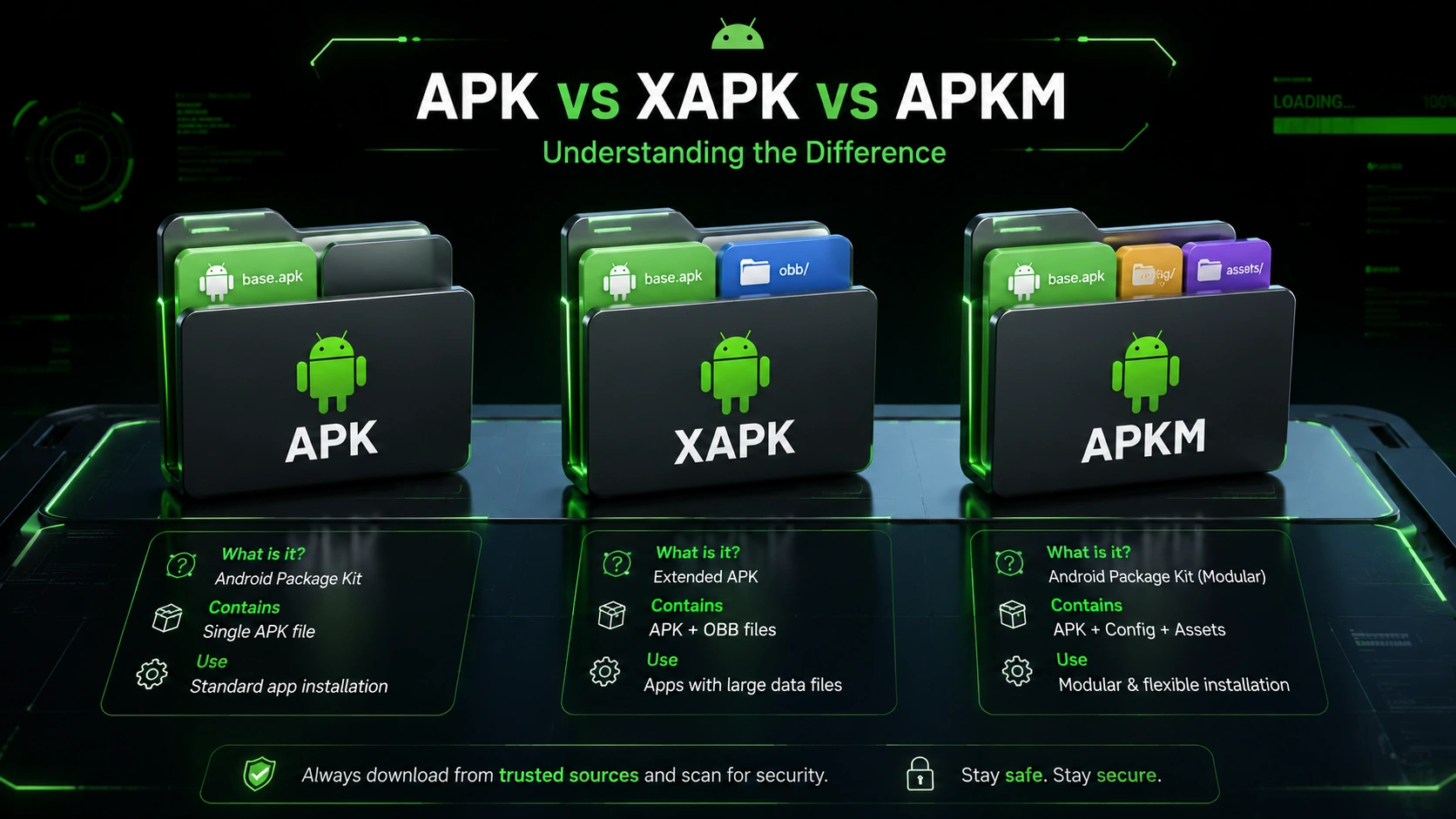
If you’ve ever tried downloading an Android app from outside the official Google Play Store, you’ve probably encountered a few confusing file extensions. While the standard APK format used to rule the Android ecosystem, the rise of heavier games and Google’s shift to App Bundles have introduced new formats like XAPK and APKM.
So, what exactly happens when you try to open one of these newer files? Why do they even exist, and more importantly, how do you install them safely without breaking your phone?
In this guide, we are diving deep into the ultimate battle of APK vs XAPK vs APKM. We will break down exactly what each format is, their distinct advantages, how to troubleshoot common errors, and step-by-step methods for getting them running on your device.
What is an APK File?
APK stands for Android Package Kit. Think of it as the Android equivalent of an .exe file on Windows or a .dmg file on a Mac. For over a decade, it has been the standard format used by the Android operating system for the distribution and installation of mobile apps.
An APK is essentially a ZIP archive. If you rename an .apk file to .zip and extract it, you’ll find all the code, assets (like images and audio), and the AndroidManifest.xml file that tells your phone how to run the software.
Advantages of APKs
- Universal Compatibility: Every Android device recognizes and installs APKs natively. No third-party tools are required.
- Simplicity: Tap the file, hit “Install,” and you are done.
- Easy Archiving: Great for keeping backups of older app versions before a bad update ruins the user experience.
Disadvantages of APKs
- Size Limitations: Google Play historically limited base APKs to 100MB.
- Bloat: A universal APK contains assets for every device architecture (ARM, x86) and screen resolution, making the file unnecessarily large for your specific phone.
What is an XAPK File?

As mobile games grew massive (often exceeding 1GB), the 100MB APK limit became a massive headache. Developers started using OBB (Opaque Binary Blob) files to store extra graphics and media. Additionally, Google introduced Android App Bundles to split apps into smaller chunks.
This birthed the XAPK format. An XAPK is a custom package designed by third-party app stores (like APKPure) to bundle everything into one neat file. An XAPK usually contains either:
- A base APK + an OBB data folder.
- A base APK + multiple split APKs (for different languages, screen DPIs, and CPU architectures).
Advantages of XAPKs
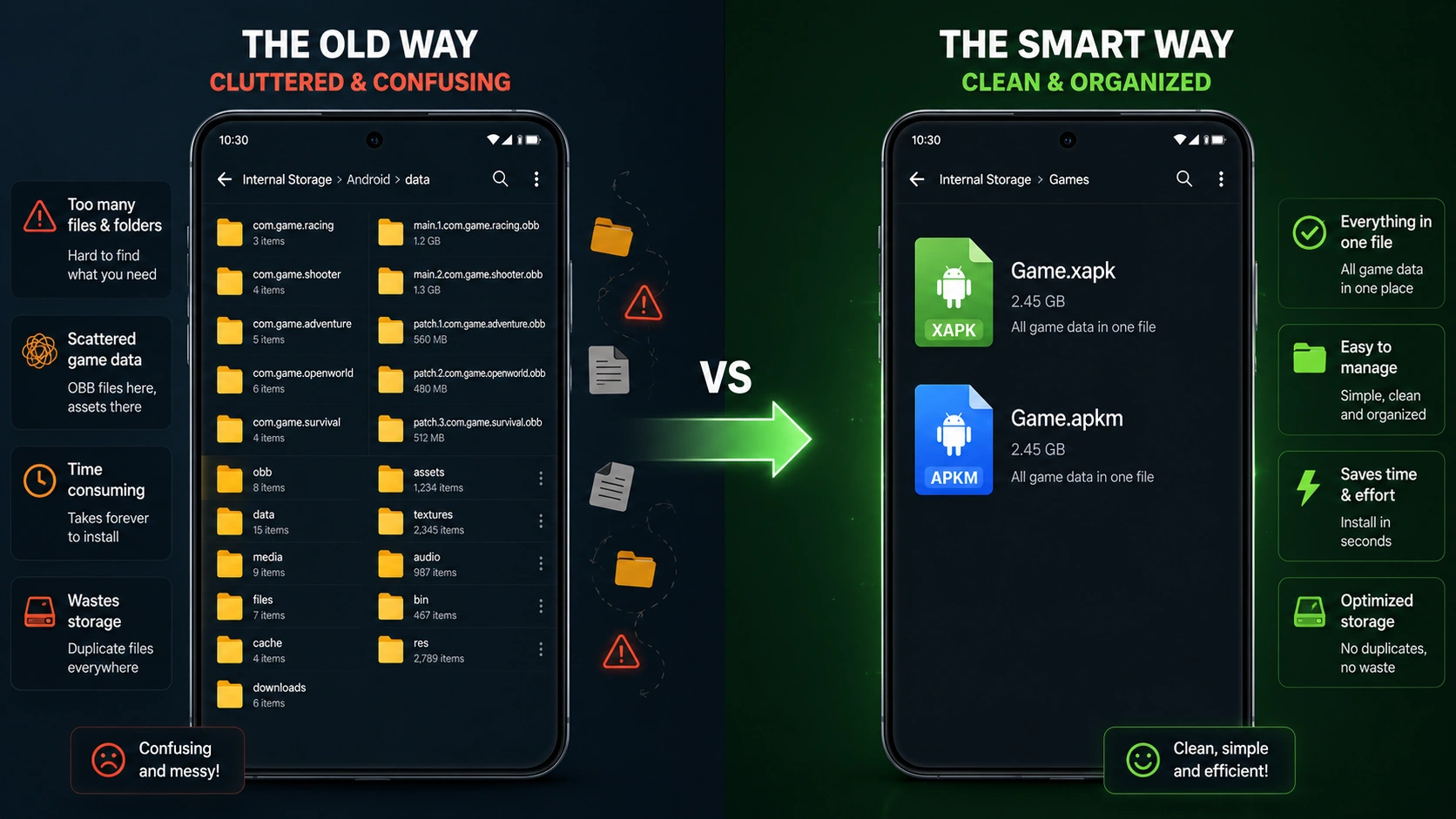
- One-Click Heavy Installs: Prevents the nightmare of manually placing OBB files deep inside your phone’s
Android/obb/directory. - Bypasses Geo-Restrictions: Allows users to easily download and install massive games that aren’t available in their region’s Play Store.
Disadvantages of XAPKs
- Requires Third-Party Installers: Your Android phone’s default package manager doesn’t know what to do with an
.xapkfile natively. - Slightly Higher Risk: Because XAPKs are modified containers, you must trust the source you are downloading them from.
What is an APKM File?
The APKM format is a proprietary file extension created by the popular app repository APKMirror. When Google fully transitioned from standard APKs to Android App Bundles (AAB), it broke traditional sideloading. App Bundles generate dynamic, device-specific splits.
To solve this, APKMirror created the APKM format. It is specifically designed to package Android App Bundles securely, ensuring that when you install the file, only the code and assets specific to your phone’s architecture and screen resolution are installed.
Advantages of APKMs
- Saves Storage Space: Because it installs dynamically, you don’t end up with bloated files holding languages or assets you don’t need.
- Highly Secure: APKMirror heavily curates and verifies the cryptographic signatures of APKM files, ensuring they are identical to Play Store versions.
Disadvantages of APKMs
- Ecosystem Lock-in: You absolutely must have the APKMirror Installer app from the Google Play Store to open and install these files.
Comparison Table: APK vs XAPK vs APKM
Here is a quick reference guide to help you understand the core differences in the APK vs XAPK vs APKM debate:
| Feature | APK | XAPK | APKM |
|---|---|---|---|
| What it stands for | Android Package Kit | Extended APK | APKMirror Bundle |
| Native Android Support? | Yes | No | No |
| Contains OBB Data? | No | Often Yes | No (Focuses on split APKs) |
| Required Installer Tool | None (Default) | XAPK Installer / ZArchiver | APKMirror Installer |
| Best Used For | Basic, lightweight apps | Large mobile games | Modern App Bundles |
Step-by-Step Installation Guide
How to Install APK Files
- Download the
.apkfile to your device. - Tap on the file in your notification bar or File Manager.
- If prompted, go to your phone’s Settings and toggle on “Install from Unknown Sources” for your browser or file manager.
- Tap Install and wait for the process to finish.
How to Install XAPK Files
Because Android doesn’t recognize XAPKs natively, you have two options:
Method 1: Using an Installer (Recommended)
- Download an XAPK Installer app (like XAPK Installer from the Play Store).
- Open the app and grant it file access permissions.
- The app will scan your storage, find the
.xapkfile, and you simply tap Install.
Method 2: The Manual Renaming Trick
- Open your File Manager and rename the
.xapkfile to.zip. - Extract the ZIP file.
- Install the base APK file found inside.
- Copy the folder containing the OBB file and paste it into
Internal Storage > Android > obb.
How to Install APKM Files
- Download the
.apkmfile to your Android device. - Go to the Google Play Store and download the official APKMirror Installer app.
- Open the APKMirror Installer and tap “Browse files.”
- Locate your downloaded
.apkmfile and select it. - Tap Install package. The app will automatically determine which “splits” your specific phone needs and install them flawlessly.
Common Errors and Troubleshooting

Sideloading isn’t always smooth sailing. Here are the most common hiccups you might face and how to fix them:
- “There was a problem parsing the package”: This usually means the file is corrupt, did not finish downloading completely, or the app requires a newer version of Android than your phone currently runs. Try redownloading the file.
- “App not installed”: This happens if you are trying to install an older version of an app over a newer one. You must uninstall the current app first. It also happens if Play Protect actively blocks the installation.
- Missing OBB Data Error: If you launch an installed XAPK game and it instantly crashes or asks to download resources, the OBB data wasn’t placed in the correct
Android/obbdirectory. Re-check your file manager paths.
Security Best Practices for Sideloading
When you bypass the Google Play Store, you lose the safety net of Google’s automated malware scanning. Keep these security rules in mind:
- Stick to Reputable Sources: Never download files from random YouTube links or shady forums. Stick to established giants like APKMirror, APKPure, or F-Droid.
- Keep Google Play Protect Enabled: Even when sideloading, Play Protect acts as an on-device antivirus that will scan the APK for known malware signatures before installation.
- Check Permissions: Before hitting “Install,” review what the app is asking for. A simple calculator app shouldn’t need access to your contacts, camera, or SMS messages.
When to Use Each Format
Choosing between an APK, XAPK, or APKM depends entirely on your needs:
- Use APK for quick, simple app installations like streaming apps, social media mods, or productivity tools.
- Use XAPK when you are a mobile gamer trying to install a massive RPG or shooter that isn’t available in your region yet.
- Use APKM when you need the absolute latest, verified version of a mainstream app (like WhatsApp, Instagram, or a Google system update) that relies on the new App Bundle format.
Frequently Asked Questions (FAQs)
Are XAPK files safe to install?
Yes, XAPK files are intrinsically just as safe as APKs. However, because they require third-party tools to create and install, the safety relies entirely on the website you downloaded it from. Always use trusted sites.
Can I convert an XAPK to an APK?
Technically, no. An XAPK is a container holding multiple files. You can extract the base APK from the XAPK container (by renaming it to .zip), but installing just the base APK will usually result in a broken app missing key graphic assets or code.
Is APKM exclusive to APKMirror?
Yes. While the concept of split App Bundles is a Google creation, the specific .apkm extension and its packaging method were developed by APKMirror. You must use their companion installer to parse the files correctly.
Do I need to root my phone for any of these?
No! None of these formats require root access. Android’s core architecture allows users to “sideload” apps from unknown sources easily without jailbreaking or rooting the device.