

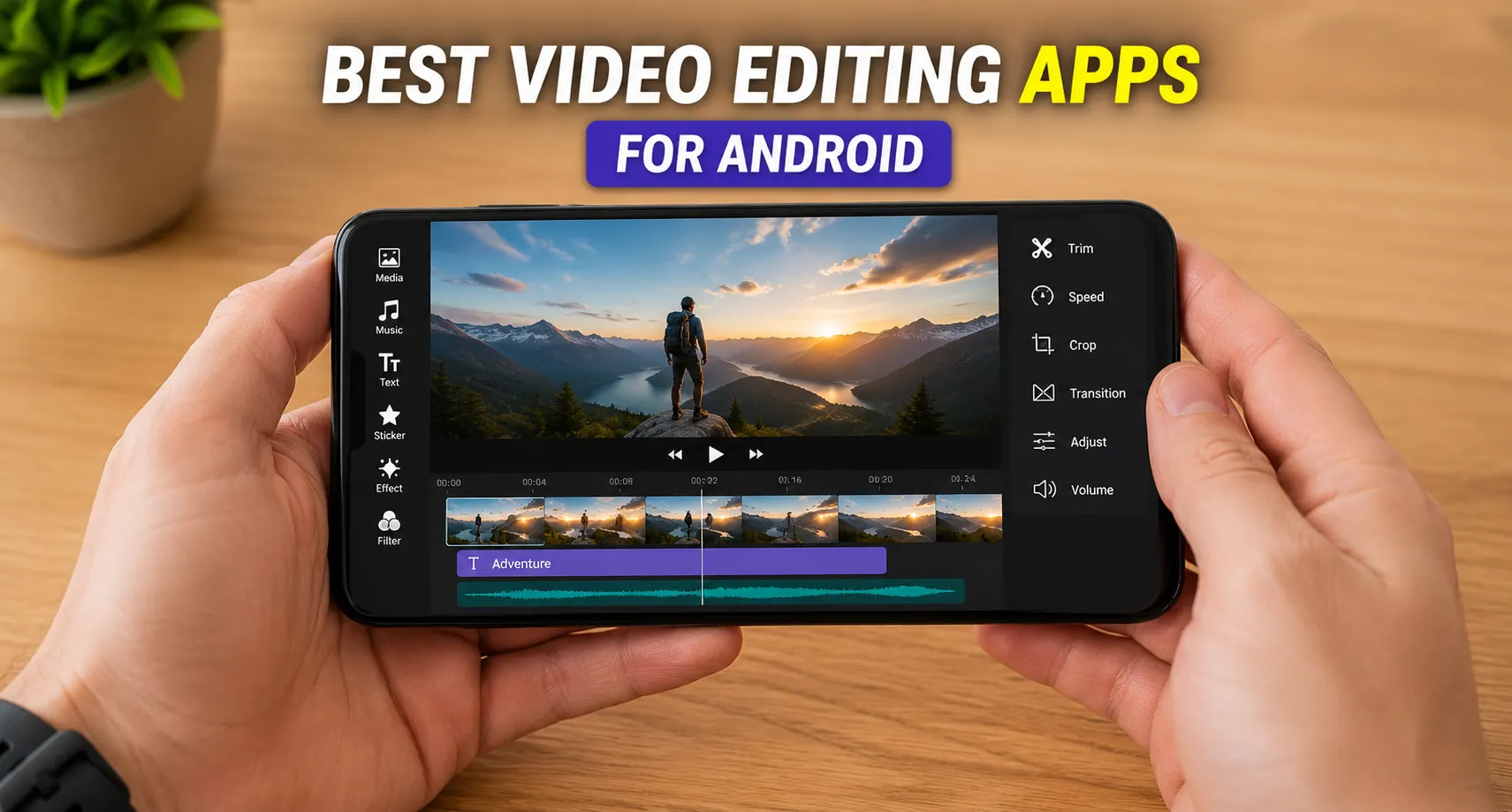
Finding the Best Video Editing Apps for Android can make a huge difference in the quality of your content. Whether you’re creating social media clips, YouTube videos, or personal projects, the right app simplifies the editing process. Modern Android editors offer powerful features like AI tools, transitions, and professional effects. In this guide, you’ll discover the top options to enhance your videos directly from your smartphone.
What Makes a Great Video Editing App?
Not all mobile video editing apps are engineered the same way. While some are built strictly as single-click automated engines, others provide an open landscape tailored to professional frame-by-frame customization. To make sure you select an app that will adapt and scale alongside your growth as an editor, prioritize these foundational features:
- Timeline Editing: The visual backbone of production software. A great timeline allows frame-accurate multi-track adjustments, splitting, and ripple editing so your secondary clips don’t shift out of sync when you make cuts.
- Multi-Layer Support: Crucial for advanced layouts. To build true professional authority, your app must cleanly stack a primary video track (A-roll), B-roll overlays, audio soundscapes, sound effects, descriptive text boxes, and secondary image assets.
- Transitions and Effects: Modern engagement relies on high-quality visual pacing. Look for built-in, fluid matching cuts like zoom pans, kinetic glitches, whip-pans, and cinematic color-correcting LUT filters.
- Audio Editing Tools: Sound is easily half of the overall viewing experience. Exceptional apps provide multi-channel audio sliders, background ambient noise reduction, precise keyframing for audio ducking, and licensing-safe audio tracks.
- Export Quality: Your software should preserve the high-fidelity crispness your physical lenses capture. It must support clean exports in 1080p, 2K, and full native 4K resolutions at high frame rates up to 60 frames per second (FPS).
- AI-Powered Editing Features: In 2026, automation is non-negotiable. Top tools offer lightning-fast smart background removal, auto-captions with high transcript accuracy, motion tracking, and instant beat synchronization.
- Ease of Use: A highly capable engine is practically useless if hidden behind cluttered menus. The user interface must feel snappy, logically laid out, and fully optimized for natural, fluid multi-touch smartphone movements.
Best Video Editing Apps for Android
1. CapCut
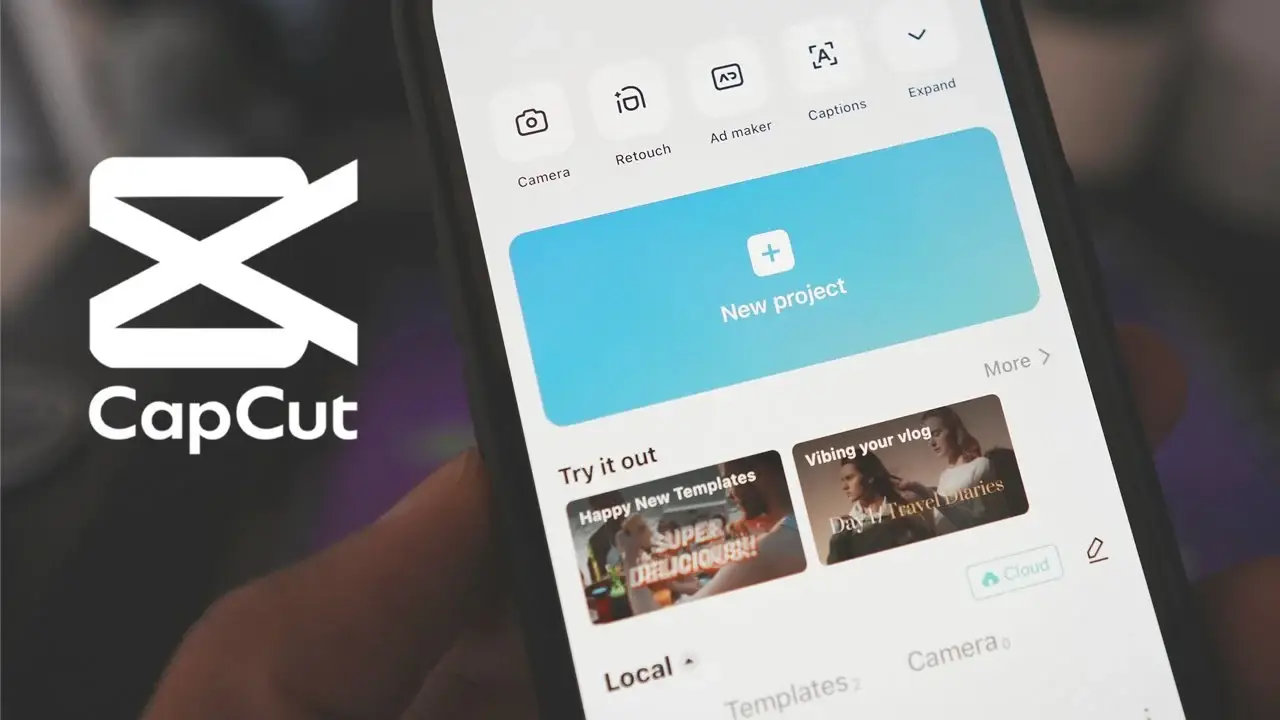
Owned and developed by ByteDance, CapCut has rapidly positioned itself as a globally dominant editing app. Initially crafted to support short-form vertical creation, it has continuously evolved into an advanced, comprehensive suite that sets the pace for AI-driven mobile automation.
Main Features: CapCut features a highly interactive multi-track timeline, industry-leading automated captioning across dozens of global languages, advanced green screen chroma keying, and direct native access to the entire trending TikTok commercial audio catalog.
- Pros: Unmatched, highly responsive AI auto-caption tracking; seamless publishing integration to ByteDance networks; massive libraries of trending community assets.
- Cons: A growing collection of historically free tools now require a premium CapCut Pro subscription; highly intensive cache files can bog down storage on low-tier hardware.
Best For: Creative social media managers and independent creators looking for the single best editor for TikTok Android and Instagram Reels.
Free vs Premium Features: The free tier remains exceptionally generous, providing full access to timeline cuts, basic multi-layer tracking, and standard text tools. The CapCut Pro subscription unlocks advanced cloud-based teamwork storage spaces, complex AI smart tracking, and unique, ultra-premium transition packs.
2. KineMaster
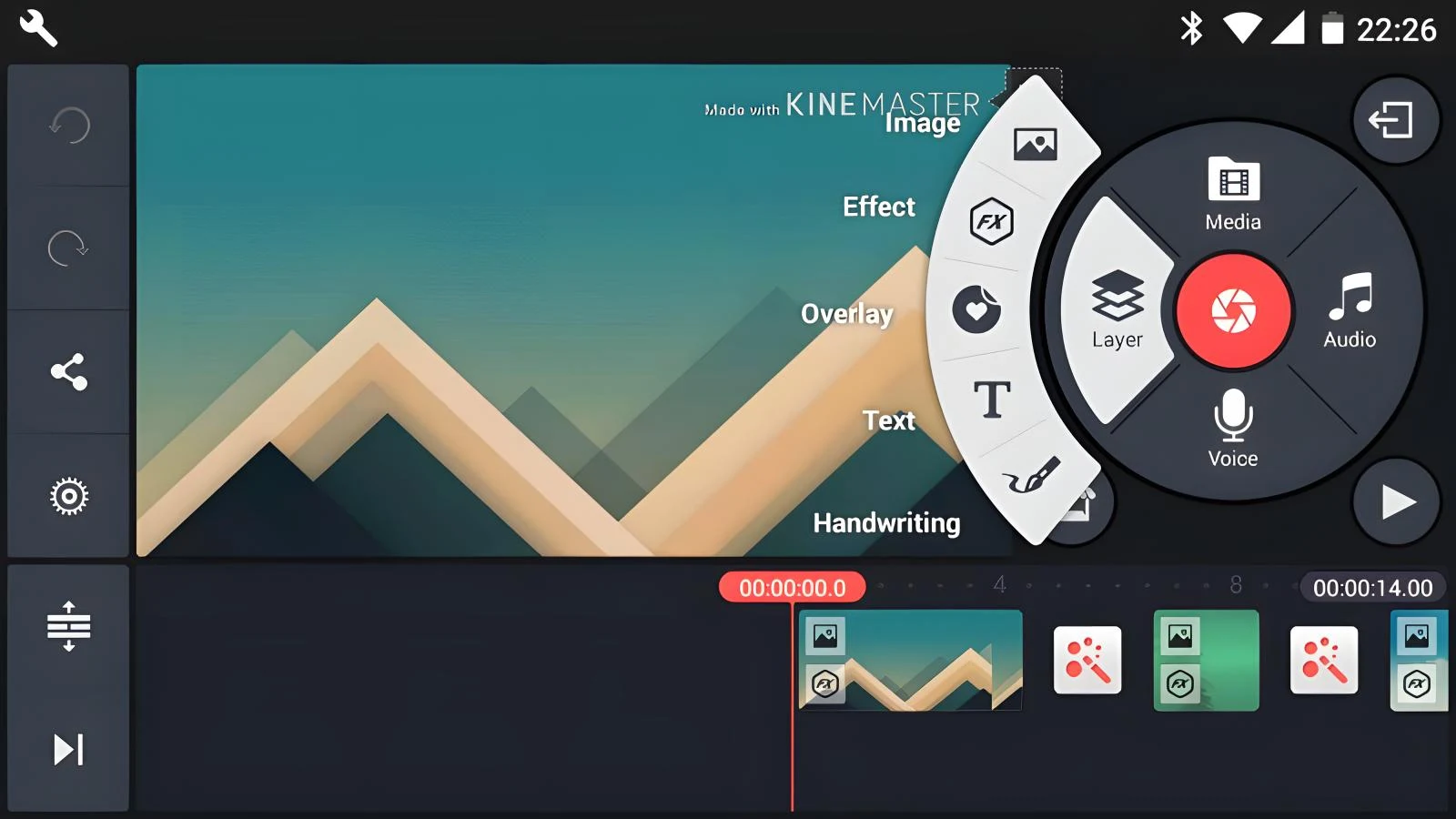
KineMaster is a long-standing titan within the mobile space, uniquely designed around a landscape-oriented visual interface. It remains a reliable staple for editing traditional, horizontal content when precise timeline separation is mandatory.
Main Features: It features a specialized nesting track engine capable of handling multiple complex video layers simultaneously. It provides granular frame-by-frame asset trimming, advanced chroma key blending, deep manual color grading dials, and an internal multi-track sound engineering board.
- Pros: Full landscape presentation maximizes timeline space on large displays; excellent keyframe animation controls; dedicated Asset Store filled with localized templates.
- Cons: The free export plan places a prominent watermark over your finished project; the recurring subscription fee leans toward the expensive end of mobile apps.
Best For: Intermediate videographers and video essayists who need a professional video editor Android workspace for complex multi-cam or green screen projects.
Free vs Premium Features: The free application tier serves largely as a sandbox environment, permitting all core adjustments but locking high-definition exports behind watermarks. Upgrading to Premium completely scrubs away watermarks, opens up native 4K rendering pipelines, and grants unrestricted use of the premium Asset Store.
3. VN Video Editor
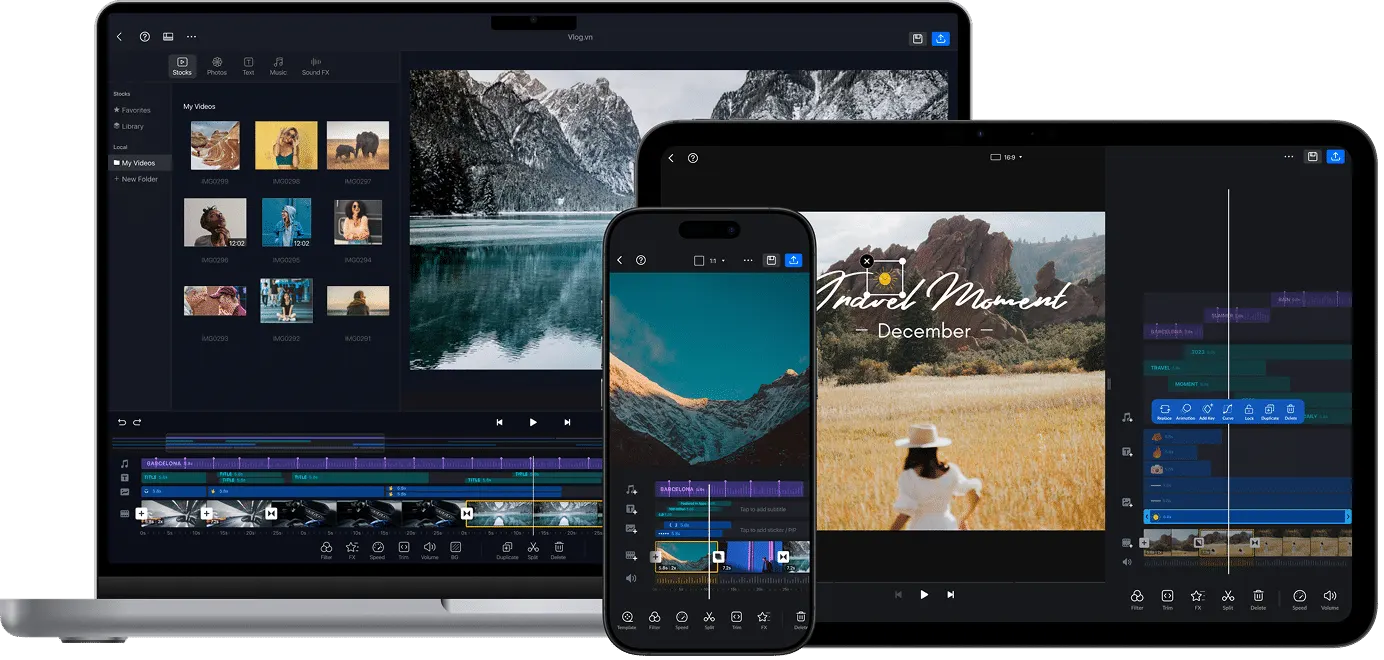
VN Video Editor (widely known as Vlog Now) has built a dedicated cult following among independent travel filmmakers and long-form YouTube creators. It has earned its reputation by providing a highly clean, ad-free environment that prioritizes professional workflows over flashy social media stickers.
Main Features: Highlights include a highly customizable multi-layer track system, interactive curve speed controls (speed ramping), advanced custom font onboarding, support for importing third-party .cube LUT files for cinematic color palettes, and frame-accurate keyframes.
- Pros: Completely free of intrusive watermarks on standard project outputs; zero jarring app ads to interrupt your concentration; excellent, smooth speed manipulation controls.
- Cons: The built-in audio sound effect library is relatively small; lacks the automated social template variety found in platform-backed programs.
Best For: Aesthetic video creators, independent vloggers, and cinematic filmmakers looking for a highly capable YouTube video editor Android without forced platform branding.
Free vs Premium Features: The completely free base tier allows you to manage a set number of simultaneous active projects with full access to standard tools. Upgrading to the Premium layer expands your dashboard to allow infinite active timelines, custom subtitle font uploads, and advanced cloud-based media asset recovery.
4. Adobe Premiere Rush
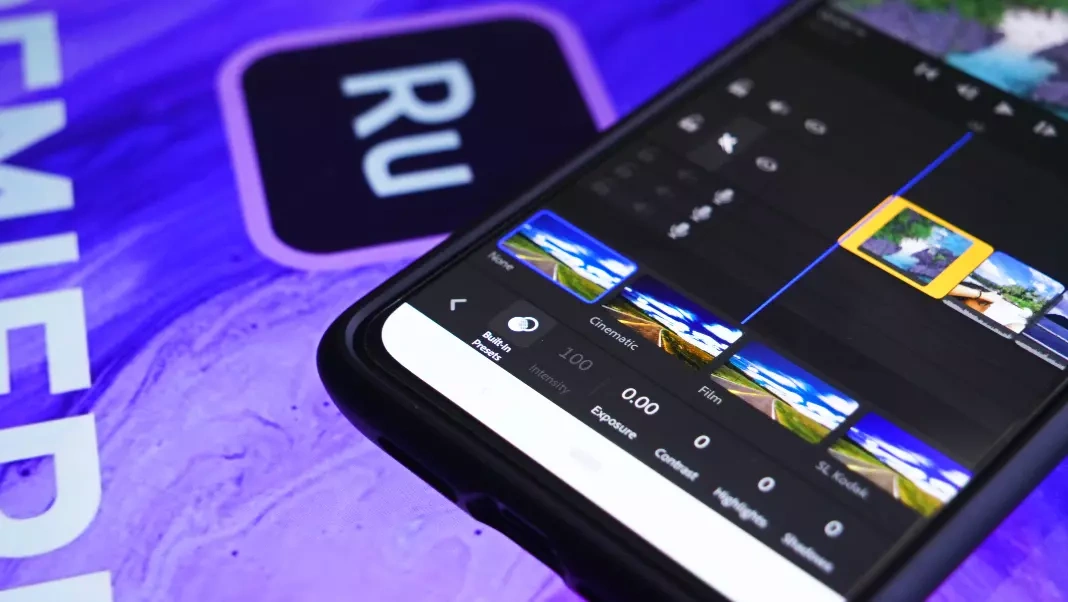
Designed by creative software pioneer Adobe, Premiere Rush was built to translate the foundational mechanics of Premiere Pro down into a streamlined, mobile-first ecosystem. It serves primarily as a portable ingest option for creators tied into the broader Adobe ecosystem.
Important 2026 Status Context: Adobe has officially initiated the sunsetting phase for Premiere Rush to clear the runway for their next generation of reimagined mobile tools. While the app continues to function seamlessly on currently supported Android devices, it is no longer receiving core functional updates. It remains highly useful for creators who utilize it as a mobile-to-desktop bridging environment.
Main Features: Offers a simplified multi-track layout, cross-device Creative Cloud synchronization, professional built-in Motion Graphics titles, simple color exposure presets, and smart automatic audio ducking to adjust music beneath voice tracks.
- Pros: Direct cloud file asset integration with desktop Premiere Pro; highly stable title templates; clean layout that minimizes visual distractions.
- Cons: No longer receiving long-term feature updates; requires an active Adobe Creative Cloud account; can feel limited compared to modern AI alternatives.
Best For: Active Adobe Creative Cloud subscribers who want to quickly assemble and rough-cut raw mobile footage while traveling before polishing it on a desktop.
Free vs Premium Features: The starter tier allows for basic video creation and timeline arranging. The Premium subscription upgrade adds advanced automatic reframe scaling, professional audio leveling tools, 4K export functionality, and enhanced Creative Cloud asset storage.
5. PowerDirector
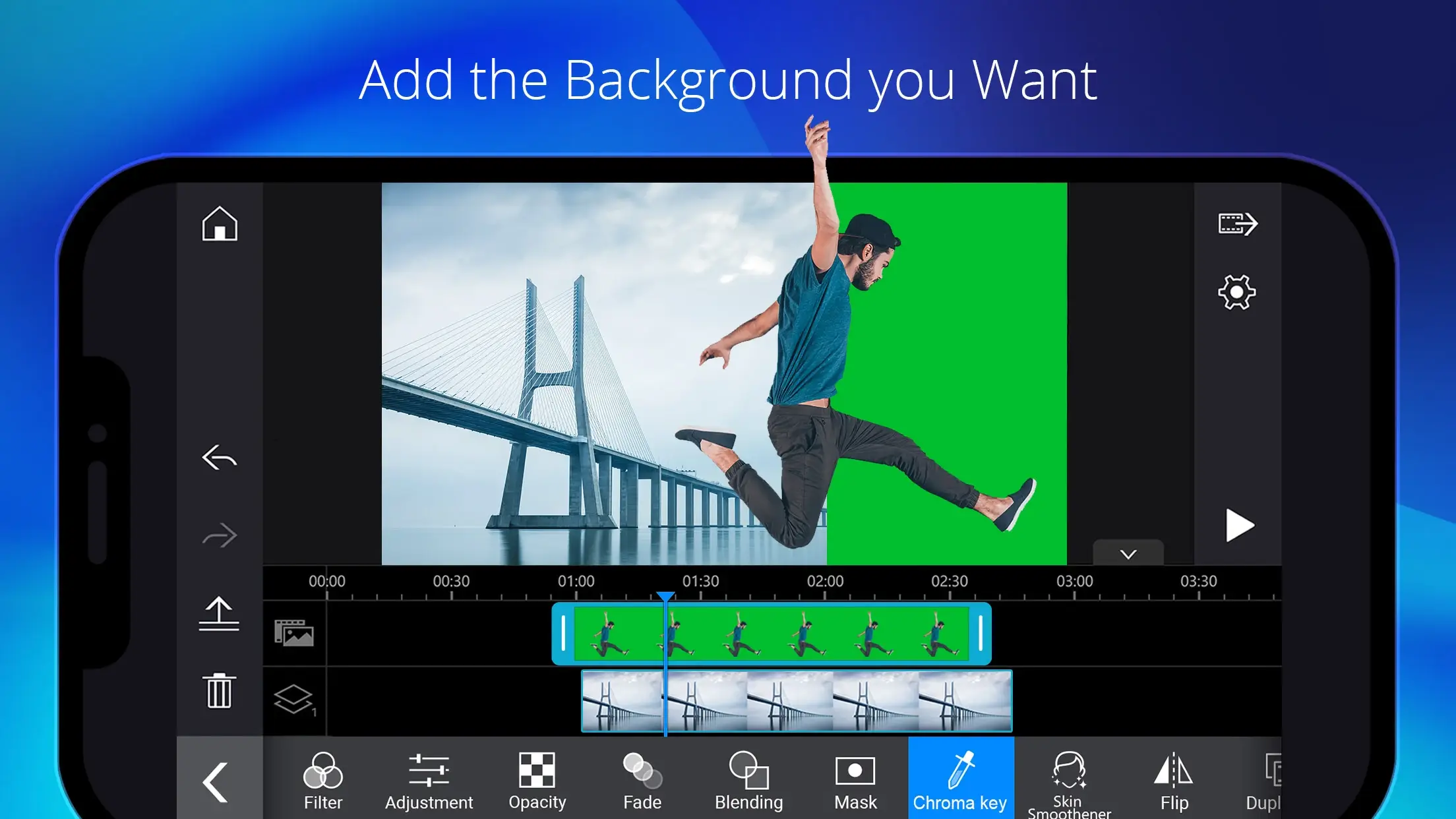
Created by CyberLink, PowerDirector packages decades of professional desktop processing code into a highly optimized, high-performance Android package. It is engineered with processing efficiency at its center, regularly clocking the fastest render speeds across mobile chipsets.
Main Features: Features a robust multi-layer timeline workspace, high-end optical video stabilization to smooth out hand-shake errors, AI-powered stylistic art filters, built-in voice changers, and precise chroma key backdrop isolation.
- Pros: Incredible hardware-accelerated processing and video rendering speeds; highly reliable, steady digital image stabilization; rich library of millions of premium Getty stock assets.
- Cons: The intensive user interface can feel cramped or cluttered on smaller phone screens; the free layer displays regular in-app advertisements.
Best For: Technical creators and performance-focused editors who require deep feature sets and lightning-fast turnaround times from a professional video editor Android.
Free vs Premium Features: The free app download outputs watermarked content capped at 720p resolution and contains app advertisements. Shifting over to the Premium plan deletes watermarks, unlocks ultra-clear 4K exports, activates image stabilization, and offers access to extensive stock video libraries.
6. InShot
InShot is a widely recognized social media app built explicitly around quick-turnaround publishing workflows. It bypasses complex video tracking nodes to offer a highly accessible, rapid editing workspace for creators who need to upload content on the fly.
Main Features: Features single-tap canvas resizing across standard social aspect ratios, straightforward clip trimming and splitting, an extensive library of animated stickers, custom color filters, and a direct audio layer for recording voiceovers.
- Pros: Extremely gentle learning curve for absolute beginners; quick, no-fuss canvas layout presets; highly responsive for rapid daily content cuts.
- Cons: Lacks a true multi-track layered timeline view for complex compositing; full-screen video ads appear regularly within the free tier.
Best For: Social media beginners, small local business owners, and creators focusing strictly on simple, casual lifestyle content updates.
Free vs Premium Features: The standard free level provides all core trimming and splitting mechanics, but attaches a watermark that can be manually removed per project by watching a video ad. The InShot Pro premium tier completely eliminates ad pop-ups, removes watermarks permanently, and unlocks all current transition packs.
Best Free Video Editing Apps for Android
Operating your content pipeline on a tight budget means tracking down a high-quality video editing app Android free of restrictive paywalls. Many mobile programs lure users in with promises of free software, only to hold back your final export behind massive watermarks. Let’s analyze how the leading free options compare under real-world usage conditions:
| Application | Watermark Status (Free Tier) | Key Free Tier Limitations | Primary Advantage |
|---|---|---|---|
| VN Video Editor | None (Completely Free Watermark-less Exports) | Imposes a limit on total concurrent active project drafts. | Professional multi-track timeline that leaves your visual real estate completely clean. |
| CapCut | Optional (Can be deleted manually from the timeline) | Advanced niche AI modules and high-end visual filters require Pro. | Unrivaled automated subtitle transcript accuracy and trending template networks. |
| InShot | Conditional (Can be deleted by watching an ad) | Lacks advanced overlapping track layers; displays frequent ads. | Incredibly fast, beginner-friendly canvas resizing and asset placement. |
If you aim to generate clean, commercial-ready video files without corporate watermarks branding your work, VN Video Editor represents the gold standard of free video editing apps Android. However, if your daily content relies heavily on dialogue, talk tracks, or interviews, CapCut‘s free tier provides massive structural value by saving you hours of tedious manual caption transcription.
Best Video Editing Apps for YouTube
YouTube is an exceptionally diverse media platform. A single channel might produce ten-minute structured tech reviews, sweeping cinematic landscape travel logs, or long-form gaming let’s-plays. To keep viewer retention high, a dedicated YouTube video editor Android needs to navigate large file libraries while maintaining highly precise control over audio assets.
- For Cinematic Vlogs and Travel Content: VN Video Editor is an exceptional option. Its built-in support for external LUT profiles means you can instantly match your smartphone’s color profile to professional mirrorless cameras. Its smooth speed-ramping curves allow you to craft dynamic B-roll sequences that feel polished and deliberate.
- For Tutorials and Explainer Videos: KineMaster and PowerDirector excel due to their deep picture-in-picture layering capabilities. You can cleanly overlay desktop screen captures over your talking-head footage, use keyframe pathways to zoom smoothly into specific on-screen details, and overlay descriptive visual pointers exactly when needed.
- For High-Framerate Gaming Videos: Smooth gameplay requires high-bitrate 60 FPS exporting. PowerDirector’s hardware-optimized rendering pipeline guarantees your intensive screen recordings retain their high frame smoothness without running into audio-to-video drift over massive, multi-gigabyte files.
Best Apps for TikTok and Instagram Reels
Short-form vertical video thrives on immediate pacing, trending music cues, and strong visual hooks within the first two seconds. The best mobile editing apps for vertical spaces are engineered to maximize creation speed and capitalize on viral aesthetics before trends cycle out.
CapCut remains the clear frontrunner for short-form video. Because it shares a corporate ecosystem with TikTok, you can instantly see which audio tracks are picking up viral traction and snap your video cuts onto the audio track’s peak waveforms using automated beat markers. Its automated captioning engine can generate bold, animated kinetic subtitles that scale and bounce in step with your speech—keeping viewers fully engaged even when watching with their device volume muted.
If you prefer an approach focused on daily aesthetic snapshots, InShot provides highly useful canvas background adjustment blurs that frame horizontal clips into native vertical windows without awkwardly cropping away the sides. It also hosts an endless catalog of text options, transitions, and cartoon filters designed to inject immediate energy into casual lifestyle pieces.
Comprehensive Comparison Table
To help you see how these leading applications stack up side-by-side, here is a quick-reference feature matrix detailing the best video editing apps for Android available in 2026:
| App Name | Free Tier Available? | Watermark on Free Plan? | Supports 4K Exporting? | Beginner Friendly? |
|---|---|---|---|---|
| CapCut | Yes | No (Can easily delete ending credit) | Yes | Highly Friendly |
| KineMaster | Yes | Yes (Requires Premium to remove) | Yes (Premium Only) | Moderate (Intermediate) |
| VN Video Editor | Yes | No | Yes | Moderate to Friendly |
| Adobe Premiere Rush | Yes | No | Yes (Premium Only) | Moderate |
| PowerDirector | Yes | Yes (Requires Premium to remove) | Yes (Premium Only) | Moderate |
| InShot | Yes | Yes (Removable via video ad view) | Yes | Extremely Friendly |
Tips for Editing Videos on Android
Even when working with premium production software, editing extensive projects on a small screen presents unique challenges like storage management and battery drain. Use these professional practices to supercharge your mobile workflow:
1. Secure High-Quality Source Video
An editor can adjust exposure and composition, but it can never restore out-of-focus or poorly lit footage. Always clean your camera lens with a microfiber cloth before filming. Use your native camera app to manually lock your focus and exposure targets so your phone doesn’t awkwardly shift brightness levels mid-scene.
2. Prioritize Clean Audio Ingest
Viewers will easily watch a standard 1080p video if the narration is clean and crisp, but they will instantly scroll away from native 4K footage if the sound is overwhelmed by wind or distortion. Invest in a simple, budget-friendly wireless USB-C clip-on microphone to capture professional dialogue away from environmental noise.
3. Anchor Your Project Aspect Ratio Early
Establish your target project dimensions before cutting your first clip. Use 16:9 for traditional YouTube uploads, 9:16 for TikTok and Reels, and 1:1 or 4:5 for standard square social media feed tiles. Selecting this parameter immediately avoids having to manually reposition every title card and framing layer later on.
4. Audit Your Device Storage and RAM Cache
High-resolution video files eat through flash storage space incredibly quickly. Before opening your timeline for an intensive editing session, clear out background applications to maximize available system RAM. Keep at least 15GB to 20GB of free internal space open so your app can seamlessly generate preview cache files during heavy editing blocks.
5. Match Export Parameters to Source Material
When you prepare your final render, ensure your export properties line up with how you recorded. If you filmed your raw A-roll in 1080p, forcing a 4K export will not miraculously create hidden detail; it will only create an unnecessarily bloated file that takes forever to upload. For standard web use, export using the widespread H.264 codec (MP4 format) at a stable 30 FPS or 60 FPS.
Frequently Asked Questions (FAQ)
What is the best video editing app for Android?
The definitive best answer depends entirely on your specific creative workflow. If you create fast-paced social media content daily, CapCut’s smart features make it the premier choice. If you prefer a clean, traditional layout for cinematic videos without watermarks, VN Video Editor stands out as the overall top choice.
Which app has no watermark?
Among the top-tier mobile choices, VN Video Editor remains completely free of watermarks on standard exports. CapCut places a short branding clip at the tail end of your timeline, but it allows you to easily select and delete that final piece for free before you hit render.
Can Android phones edit 4K videos?
Yes. Mid-range and premium flagship Android devices handle native 4K playback and timeline scrubbing with ease. Just verify that your selected editing software supports 4K rendering output (like VN, CapCut, or premium tiers of PowerDirector) and ensure your device has sufficient free internal storage.
What app do TikTok creators use?
The vast majority of short-form social creators rely heavily on CapCut. Its built-in automated template synchronization, viral sound integrations, and smart kinetic captioning allow creators to produce trending videos in minutes.
Which editor is best for beginners?
If you are completely new to editing, InShot offers the friendliest entry point. It simplifies production by focusing on an easy-to-understand single-track timeline where trimming, text overlays, and filters are immediately accessible.
Conclusion
Mobile video creation has matured into a highly competitive, incredibly advanced landscape. Finding the right application is a matter of aligning your target publishing platform with your workflow style:
- For Aspiring Beginners: Start with InShot to confidently grasp the fundamentals of pacing, cuts, and aspect ratios without getting bogged down by complicated interfaces.
- For Social Media Influencers: Adopt CapCut as your core driver to take full advantage of automated voice transcriptions, audio beat tracking, and viral visual filters.
- For YouTubers and Storytellers: Build your pipeline around VN Video Editor or KineMaster to leverage highly precise frame trimming, advanced color correction LUTs, and true multi-layer layout control.
- For Independent Budget Creators: Leverage VN Video Editor as your main platform to keep your final exports entirely pristine and completely free of corporate logos.
Every single mobile editor detailed in this review provides a completely free tier or a comprehensive trial environment. Download two or three options that match your goals, experiment with a few test video files, and see which interface feels most natural under your fingertips. Your Android phone is a fully realized production studio—open your app of choice and start creating today.