
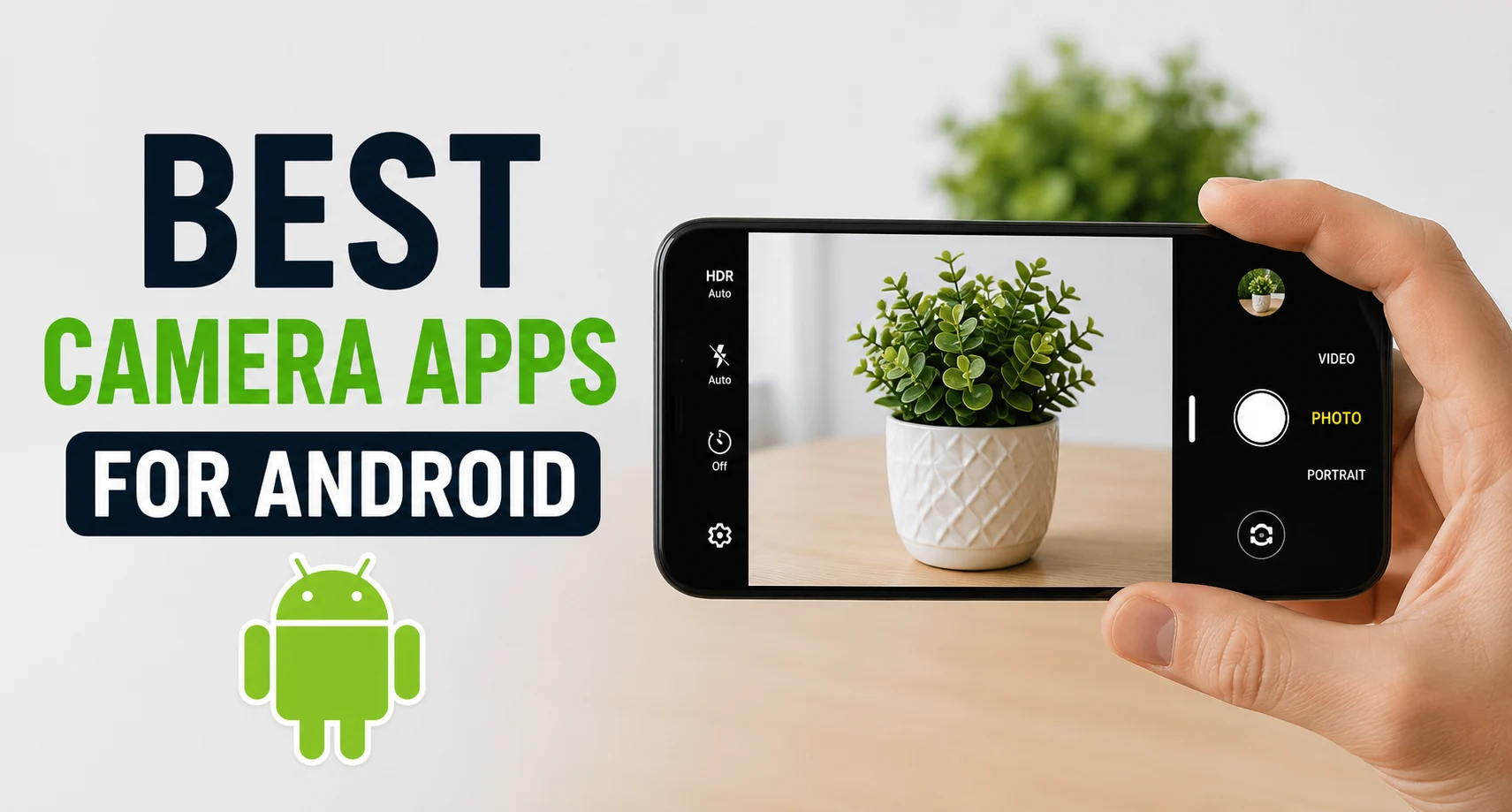
Finding the Best Camera Apps for Android can dramatically improve the quality of your photos and videos without changing your smartphone. These apps offer advanced controls such as manual focus, exposure adjustment, RAW capture, and AI-powered enhancements for professional-looking results. Whether you’re a casual photographer or a content creator, there’s an option tailored to your needs.
Many also include powerful shooting modes like Night Mode, HDR, Portrait, and 4K video recording. By choosing the right camera app, you can unlock your device’s full photography potential. Explore the top options and capture every moment with stunning clarity and detail.
What Makes a Great Camera App?
When searching for the ultimate professional camera app Android offers, several core functionalities dictate whether an application is worth installing. It is not merely about adding trendy filters; it is about expanding your creative envelope and giving you complete control over the imaging sensor. The essential features of a high-quality camera app include:
- Manual Camera Controls: The hallmark of professional photography is the ability to adjust exposure parameters independently. A top-tier application must provide individual sliders for ISO (sensitivity to light), shutter speed (exposure duration), manual focus (ideally with focus peaking), and white balance (to correct shifting light temperatures).
- RAW (DNG) Image Support: Uncompressed RAW files preserve all the data captured by your smartphone’s image sensor. A true RAW camera app Android users can rely on will save files in the open `.dng` format, allowing for maximum flexibility during post-processing in applications like Adobe Lightroom Mobile or Snapseed without degrading image quality.
- HDR Photography: High Dynamic Range processing blends multiple exposures of the same scene to retain details in both the deepest shadows and the brightest highlights, preventing blown-out skies and dark silhouettes.
- Night Mode and Portrait Mode: Advanced low-light optimization and accurate depth-of-field separation (bokeh) are vital for creating dramatic, professional-grade imagery without relying on external lighting kits.
- AI Scene Detection: Computational photography relies on artificial intelligence to instantly recognize environments—such as landscapes, architecture, or moving subjects—and optimize color rendering and exposure curves on the fly.
- 4K and 8K Video Recording: For mobile videographers, high-resolution capture must be paired with unlocked frame rates (such as cinematic 24fps or smooth 60fps), high bitrates, and access to custom audio source routing.
- Image Stabilization and Fast Autofocus: Software hooks that maximize Optical Image Stabilization (OIS) and Electronic Image Stabilization (EIS) ensure sharp, blur-free imagery and fluid, cinematic video sequences.
- Easy-to-Use Interface: Power is nothing without usability. A well-designed user interface (UI) places crucial shortcuts within thumb’s reach, ensuring you never miss a fleeting moment while digging through complex nested menus.
Best Camera Apps for Android
The Android ecosystem is filled with various camera applications, but only a handful truly stand out in terms of performance, reliability, and feature sets. Below is a detailed breakdown of the six best camera apps available for Android in 2026.
1. Open Camera
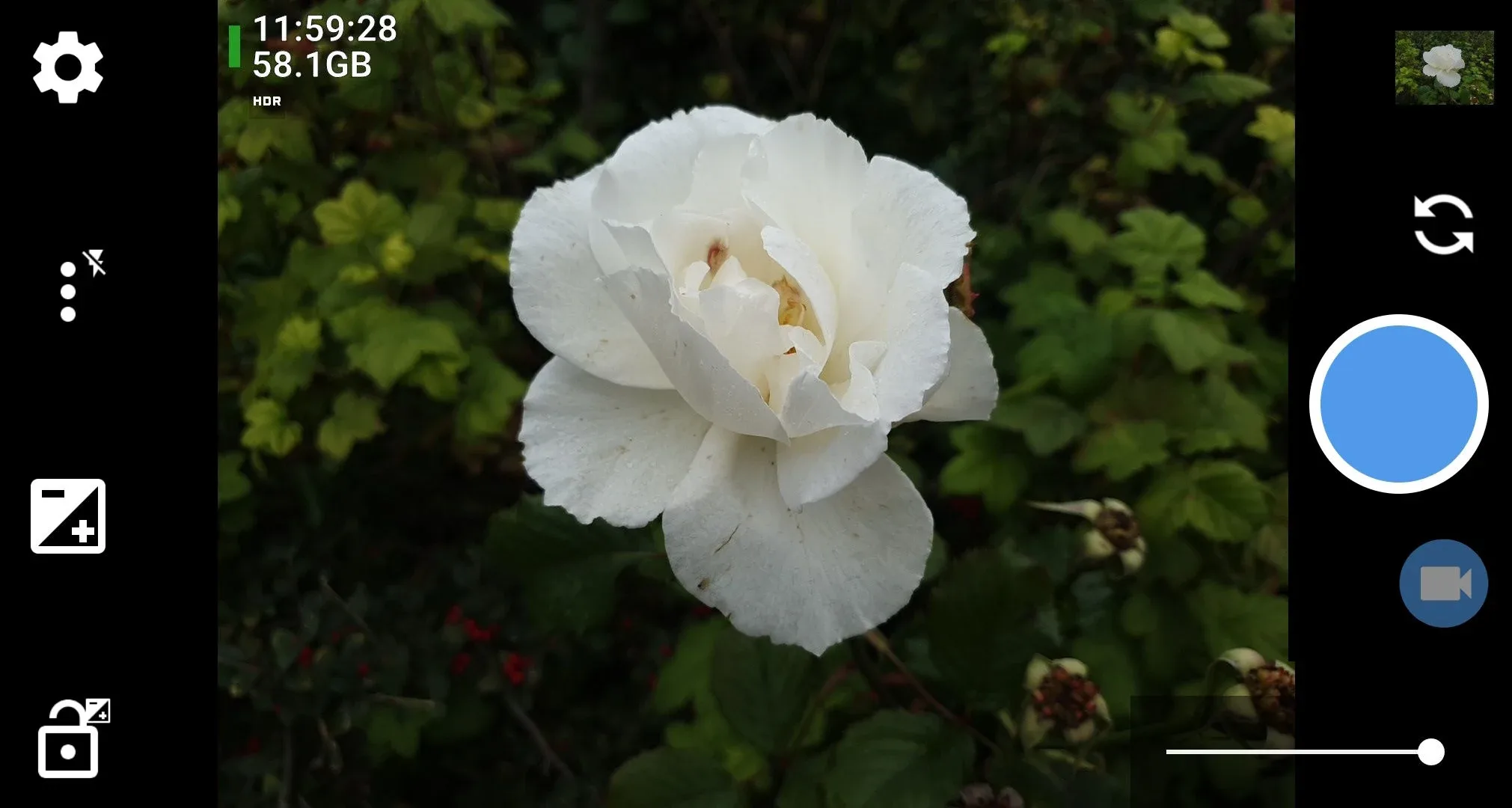
Open Camera is the undisputed open-source champion of the mobile photography world. Developed completely free of charge and without any monetization or advertising, it serves as a lightweight yet feature-dense replacement for default camera applications. It interfaces directly with Android’s Camera2 API, unlocking comprehensive hardware access for almost any compatible device.
Main Features: Open Camera features full manual focus, manual exposure times, ISO adjustments, white balance lock, and exposure compensation. It offers auto-stabilization to keep photos perfectly level, remote capture options via voice commands or clapping, configurable on-screen grids, crop guides, and comprehensive support for external microphones.
Pros and Cons:
- Pros: 100% free with absolutely no ads; extremely lightweight; supports RAW shooting; offers extensive overlay choices including histograms.
- Cons: The user interface feels dated and clunky; a steep learning curve for complete beginners; processing might lack the polished look of OEM apps.
Free vs Premium Features: There are no premium features or paywalls. Every single feature within Open Camera is entirely free and open-source.
Best For: Photography enthusiasts and privacy-focused users who want full manual controls without spending money or dealing with intrusive ads.
2. Google Camera (GCam Port)
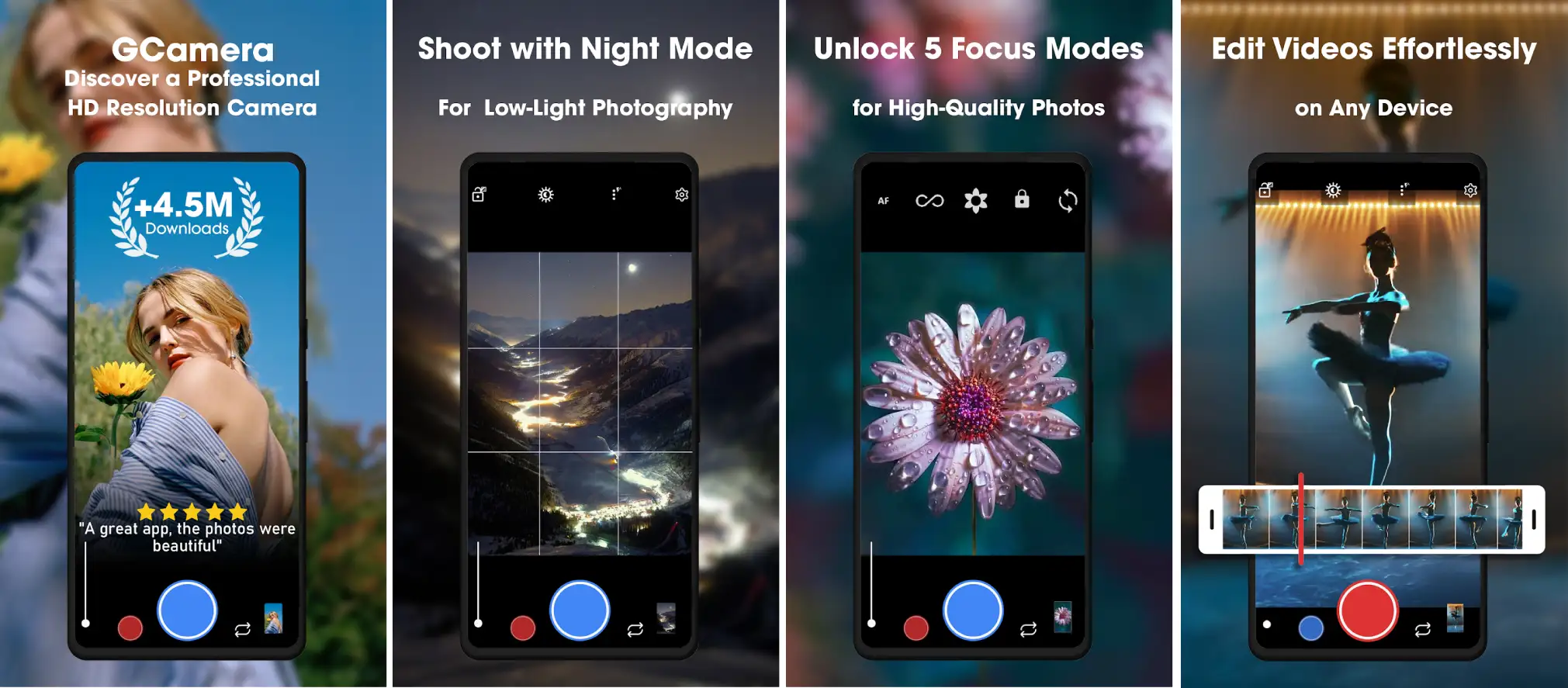
Initially designed exclusively for Pixel devices, the Google Camera Android application has been ported by community developers to work across a wide array of non-Pixel hardware. GCam is celebrated not for manual controls, but for its industry-leading computational photography algorithms, transforming ordinary sensors into extraordinary image catchers.
Main Features: GCam features HDR+ (Multi-frame exposure blending), Night Sight (revolutionary low-light multi-frame capture), Astrophotography mode for capturing starlit night skies, Portrait Mode with advanced depth mapping, and Super Res Zoom, which uses sub-pixel movement to clean up digital zoom artifacts.
Pros and Cons:
- Pros: Unrivaled automated image processing; spectacular dynamic range; best-in-class low-light capabilities.
- Cons: Installation requires downloading third-party `.apk` files from community hubs; configurations can be unstable; not all features work on every phone model.
Free vs Premium Features: GCam ports are completely free, developed and maintained by independent modders within the Android community.
Best For: Users seeking the absolute best automatic photo quality, stunning point-and-shoot HDR+, and industry-leading night photography without manual tweaking.
3. ProCam X

ProCam X (also known as HD Camera Pro) is designed to transform your smartphone screen into the back panel of a professional digital SLR camera. It places heavy emphasis on real-time control, quick responsiveness, and giving professional users a familiar shooting layout with tactile-feeling adjustments.
Main Features: It provides full manual control over exposure, focus, white balance, and shutter speed. It features real-time histograms, zebra striping for overexposure warnings, focus peaking lines, intervalometer options for time-lapse creation, customizable bitrates for video, and rapid-fire burst mode shooting.
Pros and Cons:
- Pros: Exceptionally clean, modern, and polished user interface; robust focus peaking; highly efficient RAW file saving pipelines.
- Cons: Some advanced options are blocked if your phone’s manufacturer restricts Camera2 API access; requires a paid upgrade for complete feature unlocking.
Free vs Premium Features: The free (Lite) version includes standard manual controls but contains advertisements and limits video resolution and burst capabilities. The Premium paid version eliminates ads, unlocks full sensor resolutions, and enables unlimited video durations.
Best For: Serious mobile photographers and content creators looking for a reliable, highly polished DSLR camera app Android experience.
4. Footej Camera
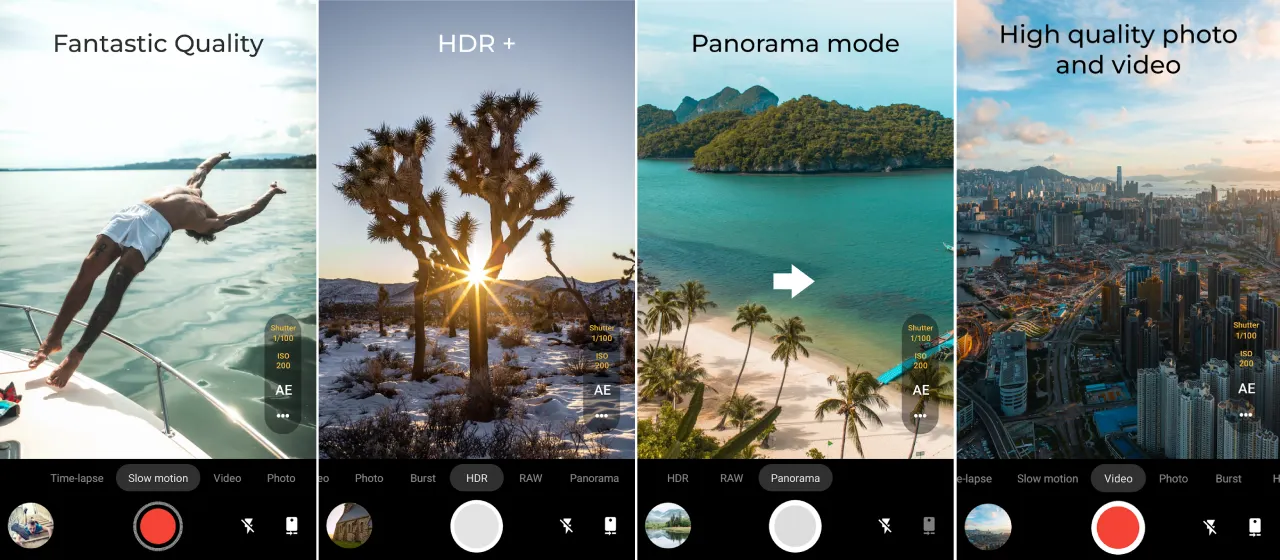
Footej Camera bridges the gap between sophisticated professional tools and modern user-friendly applications. It delivers an elegant layout that does not overwhelm beginners but still houses excellent manual parameters for those who want to push their smartphone sensors to the limit.
Main Features: This app incorporates an integrated Camera-2 API framework, manual ISO, focus, and shutter speed tools, an isolated focus/exposure dual-ring setup, high-speed burst shooting, built-in animated GIF creation, slow-motion video captures, and dedicated long-exposure capabilities.
Pros and Cons:
- Pros: Fluid, sleek, and modern interface; excellent balance of photography and videography tools; simple exposure adjustments.
- Cons: The premium subscription model can get costly over time; RAW capture is sometimes restricted behind the premium tier depending on the device.
Free vs Premium Features: The free version offers basic manual controls and standard photo/video functions with ad support. The Premium version (available via subscription or one-time purchase) removes ads, unlocks high-quality JPEG compression, permits maximum video bitrates, and enables RAW photo bursts.
Best For: Creative content creators who want manual exposure flexibility alongside fast, intuitive creative video modes and GIF tools.
5. Camera FV-5
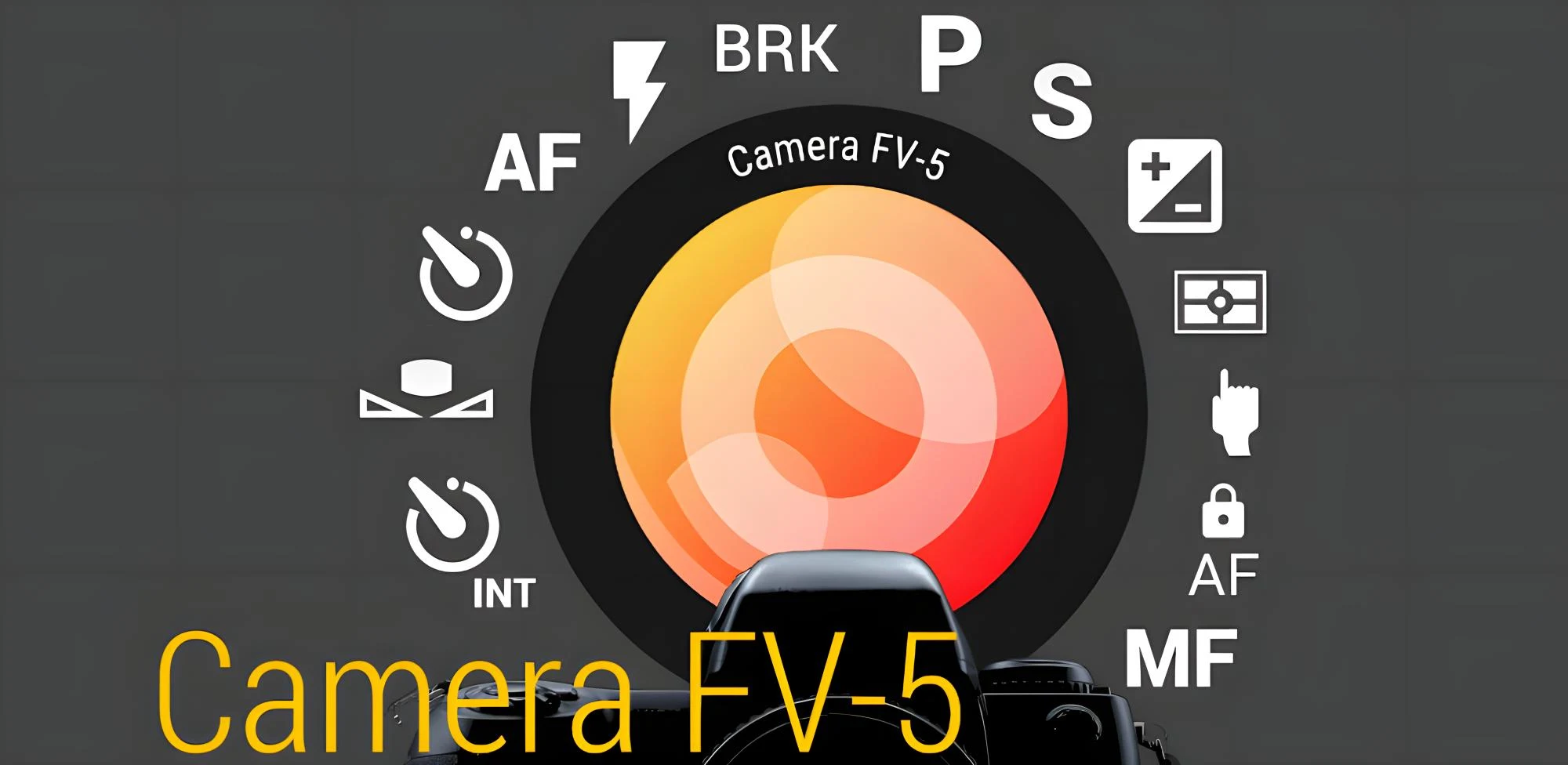
Camera FV-5 is built explicitly for photography purists, deliberately avoiding automatic filters or lifestyle features. It adapts traditional DSLR metadata displays and parameters directly to the mobile screen, treating the smartphone as a serious camera body designed for manual configuration.
Main Features: It showcases an extensive view-finder displaying parameters like aperture, shutter speed, ISO, and exposure compensation. It offers comprehensive exposure bracketing (ideal for manual HDR processing), multiple metering modes (matrix, center-weighted, spot), a built-in intervalometer, and prolonged long-exposure control.
Pros and Cons:
- Pros: Unmatched metadata display resembling physical digital cameras; powerful exposure bracketing tools; precise long-exposure configurations.
- Cons: The Lite version severely restricts output resolutions; the layout can feel deeply intimidating to casual shooters; no native video shooting (requires a separate app, Cinema FV-5).
Free vs Premium Features: Camera FV-5 Lite is free but restricts image saving to low resolutions and disables RAW support. The Pro version removes resolution limitations and fully unlocks uncompressed RAW (DNG) shooting capabilities.
Best For: Landscape photographers, astrophotography experimenters, and traditional camera users who appreciate looking at extensive technical data while shooting.
6. HD Camera for Android
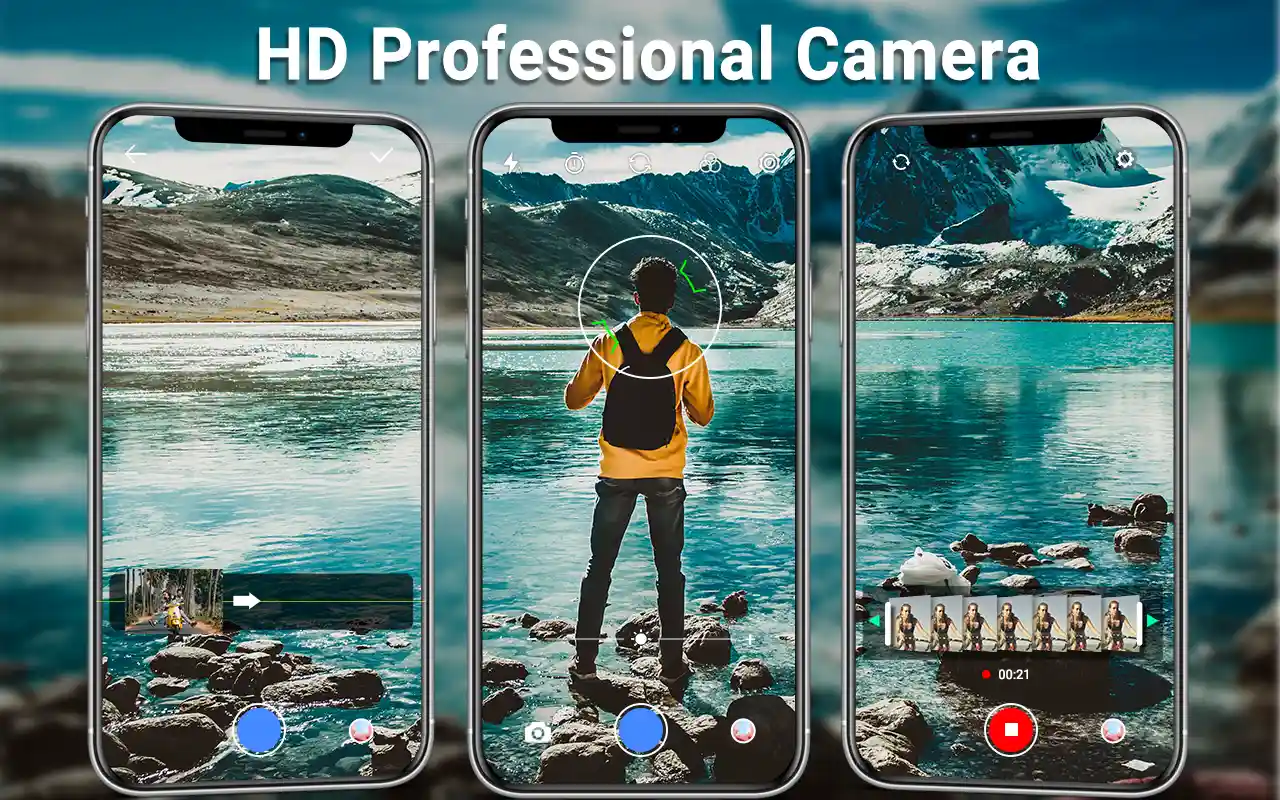
While many third-party apps focus strictly on advanced manual configurations, HD Camera for Android targets users who want a streamlined, lightning-fast alternative to bloated stock applications. It is tuned for rapid point-and-shoot scenarios, ensuring zero shutter lag and vibrant, social-media-ready results.
Main Features: It features a clean quick-toggle layout, automatic scene optimization modes (sports, night, sunset, portrait), real-time color filters, easy panorama capture, dynamic countdown timers, simple exposure compensation adjustments, and quick-sharing integration shortcuts.
Pros and Cons:
- Pros: Incredibly fast startup and zero shutter lag; highly intuitive layout for everyday use; uses minimal system resources.
- Cons: Complete lack of deep manual sliders; missing true RAW format creation; relies heavily on automatic software exposure guesses.
Free vs Premium Features: This app is predominantly free to use, supported by banner advertisements positioned within menu selection screens.
Best For: Beginners and casual smartphone owners looking for a simple, responsive, and reliable free camera apps Android alternative for everyday snapshots.
Best Free Camera Apps for Android
If you are looking to elevate your photography without spending a dime, navigating the realm of free camera apps Android options requires understanding how features stack up against hardware restrictions. Let’s compare the top three free choices:
- Open Camera: Offers the absolute most features for free. It unlocks RAW support, manual exposure, and custom video configurations with zero ads. Its primary limitation is its purely utilitarian user interface, which can slow down spontaneous shooting.
- Google Camera (GCam Port): Delivers unmatched image processing and computational power completely free. However, its limitation lies in compatibility; because it is community-driven, finding a stable port tailored exactly to your specific Android device requires research and experimentation.
- HD Camera for Android: Provides instant speed, quick filter access, and an ultra-simple interface. Its main limitations are the presence of in-app ads and the complete omission of manual exposure control and RAW options.
When selecting a free application, device compatibility is paramount. Flagship Android phones with unlocked Camera2 APIs allow Open Camera and ProCam X to shine. Budget or mid-range devices might have manufacturer-imposed limits on shutter speed or RAW output, regardless of which third-party application you install.
Best Camera Apps for Professional Photography
To capture professional-grade images, matching your application to your specific photographic niche is crucial. A single app might excel at landscapes but fall short when handling portraiture or fast action. Here are the top recommendations based on photographic disciplines:
- RAW Shooting and Manual Controls: ProCam X and Camera FV-5 are the top choices. They offer lossless DNG saving alongside precise tools like focus peaking and live exposure histograms, ensuring you capture maximum sensor details for post-processing workflows.
- Landscape Photography: Camera FV-5 shines here. Its exposure bracketing options let you take multiple shots at different exposure levels, allowing you to blend them later for flawless dynamic range across sky and terrain.
- Portrait Photography: Google Camera (GCam) reigns supreme. Its sophisticated machine-learning models isolate subject hair, clothing, and edges perfectly, producing soft, realistic background blur (bokeh) that mimics wide-aperture portrait lenses.
- Macro Photography: Open Camera and ProCam X are excellent due to their manual focus overrides. By utilizing manual slider controls coupled with focus peaking lines, you can pinpoint the exact micro-plane of focus on small subjects like insects or flowers.
Best Camera Apps for Low-Light Photography
Low-light photography is the ultimate test for any smartphone camera setup. When light is scarce, digital noise increases and details blur. Choosing the right application depends on whether you prefer automated computational power or manual camera adjustments.
For automated point-and-shoot scenarios, Google Camera (GCam) is unmatched. Its Night Sight functionality captures multiple underexposed frames in rapid succession and merges them using AI. This process cleans up digital grain, aligns images to eliminate motion blur, and accurately pulls natural colors out of near-total darkness.
Conversely, for tripod-mounted nighttime photography, applications like Open Camera and Camera FV-5 provide superior manual control. By lowering your ISO to minimum levels (such as ISO 50 or 100) and manually extending the shutter speed to 5, 10, or 30 seconds, you can let light flood into the sensor naturally. This results in clean, noise-free long exposures, smooth water effects, and dramatic night sky captures without artificial AI smoothings.
Android Camera Apps Comparison Table
The following table summarizes the key features of each recommended application to help you make an informed decision:
| Application Name | Free Option Available? | RAW (DNG) Support? | Manual Controls? | Best Suited For |
|---|---|---|---|---|
| Open Camera | Yes (100% Free / No Ads) | Yes | Full Manual | Enthusiasts wanting total manual control for zero cost. |
| Google Camera (GCam) | Yes (Community Mod) | Yes (Varies by Port) | Limited / Automated | Unrivaled HDR+ and effortless low-light point-and-shoot. |
| ProCam X | Yes (Lite Version available) | Yes (Premium Tier) | Full Manual | Photographers seeking a sleek, feature-rich DSLR interface. |
| Footej Camera 2 | Yes (Ad-Supported) | Yes (Premium Tier) | Full Manual | Content creators looking for creative photo and video tools. |
| Camera FV-5 Lite | Yes (Resolution Limited) | Yes (Pro Version Only) | Full Manual | Landscape and technical shooters who want DSLR metadata layouts. |
| HD Camera for Android | Yes (Ad-Supported) | No | Automatic Only | Beginners wanting quick, vibrant snapshots with simple filters. |
Tips for Taking Better Photos on Android
No matter which manual camera app Android option you choose, software is only as good as the techniques behind it. Implement these fundamental mobile photography principles to instantly elevate your imagery:
- Maximize Natural Lighting: Light is the lifeblood of photography. Avoid harsh midday direct sunlight when possible. Instead, shoot during the “Golden Hour”—the hour right after sunrise and right before sunset—to take advantage of soft, warm, directional lighting.
- Keep Your Camera Lens Clean: Throughout the day, your phone accumulation fingerprints, pocket lint, and skin oils. A smudged lens diffuses incoming light, causing hazy, soft images with light streaks. Wipe your lenses with a microfiber cloth before shooting.
- Shoot in RAW Format: If you plan on editing your photos later, enable RAW capture in your chosen RAW camera app Android tool. RAW files store uncompressed data, giving you the freedom to recover highlight details and brighten shadows in post-production without creating blocky artifacts.
- Stabilize Your Smartphone: Sharp images require stability, especially in low-light environments. Lean your elbows against your body, hold the device with both hands, or utilize a compact smartphone tripod to eliminate micro-shakes that cause image blur.
- Master Manual ISO and Shutter Speed: Learn the Exposure Triangle. Keep your ISO as low as possible to avoid digital grain, and use faster shutter speeds to freeze motion. If you lengthen your shutter speed to capture more light, make sure your phone remains completely still.
- Use HDR Judiciously: High Dynamic Range is excellent for static high-contrast scenes like landscapes. However, avoid using HDR for fast-moving sports or action shots, as the multi-frame blending process can introduce weird “ghosting” artifacts around moving subjects.
- Choose Your Native Aspect Ratio: Always shoot in your camera sensor’s native aspect ratio (typically 4:3 for most Android sensors). Choosing 16:9 or square modes directly inside the app often just crops the native image, throwing away valuable resolution that you could otherwise utilize or adjust later.
Frequently Asked Questions (FAQ)
What is the best camera app for Android?
The “best” app depends on your needs. For absolute manual control with an open-source ethos, Open Camera is excellent. For unmatched point-and-shoot image processing and low-light rendering, Google Camera (GCam) is highly recommended. If you want a premium, polished DSLR-style interface, ProCam X stands out.
Is Google Camera available for every Android phone?
The official Google Camera app is exclusive to Google Pixel devices. However, independent developers create community ports (GCam ports) for many popular Android flagships and mid-range devices from brands like Samsung, Xiaomi, and OnePlus. You must find a specific configuration file designed for your exact phone model.
Which app supports RAW photos?
Applications like Open Camera, ProCam X, and Camera FV-5 (Pro) fully support capturing images in RAW (DNG) format, provided your smartphone hardware supports Android’s Camera2 API framework.
What camera app is best for night photography?
For automated handheld night shots, Google Camera with its Night Sight mode is outstanding. For tripod-based long-exposure night photography, manual apps like Camera FV-5 or Open Camera allow you to set long shutter speeds for clean, low-noise results.
Are free camera apps good enough?
Yes, free apps like Open Camera offer professional-grade tools without a price tag. Paid apps generally provide cleaner user interfaces, faster processing pipelines, and extra conveniences rather than fundamentally better image sensors capability.
Conclusion
Upgrading your photography game in 2026 does not require buying an expensive standalone camera system; it starts with unlocking the untapped potential of the smartphone already inside your pocket. By shifting away from restrictive default stock software and embracing a dedicated Android camera app, you gain absolute authority over how your images are captured, processed, and preserved.
To summarize the ideal selections for your specific style:
- Beginners: Start with HD Camera for Android for quick, hassle-free upgrades, or try Footej Camera 2 for a gentle introduction to manual controls.
- Professional Photographers: Invest in ProCam X or Camera FV-5 to secure complete DSLR metadata parity, exposure bracketing, and clean RAW files.
- Content Creators: Leverage Footej Camera 2 for its smooth integration of creative manual adjustments and fast video tools.
- Travel and Landscape Lovers: Pair Open Camera or Camera FV-5 with a compact tripod to capture crisp, uncompressed dynamic landscapes.
- Low-Light Enthusiasts: Hunt down a stable Google Camera (GCam) Port to enjoy incredible computational night photography.
Take the time to download a couple of these options, test their interfaces alongside your phone’s unique lens characteristics, and discover the thrill of creating truly professional imagery on mobile.