


Protecting your mobile device requires proactive tools, which is why the Best Android Security Apps focus on stopping cyber threats before they reach your system. Modern security suites run lightweight background scans to catch fraudulent downloads, sketchy SMS links, and dangerous public Wi-Fi risks without slowing down your phone. By using real-time detection, these apps ensure your daily browsing and online activities remain completely safe.
In addition to malware defense, top security apps give you complete control over your personal privacy and hardware. Key features include biometric app locks, dark web alerts for leaked passwords, and remote tracking or wipe capabilities if your phone gets lost or stolen. Installing a reliable security tool provides essential peace of mind while keeping your sensitive personal data locked down tight.
Key Threats Security Apps Help Detect
Modern mobile security software goes beyond scanning local files. A comprehensive security app helps guard against several specific vectors:
- Sideloaded Malicious APKs: When downloading apps outside official app stores, users risk installing trojans disguised as legitimate tools or modified games.
- SMS Phishing (Smishing) & Messaging Scams: Attackers send text messages or chat links containing fraudulent domains designed to harvest banking credentials or personal identity details.
- Spyware & Stalkerware: Unauthorized applications that quietly log keystrokes, track GPS coordinates, access cameras, or read personal text messages without explicit consent.
- Rogue & Unencrypted Wi-Fi Networks: Public Wi-Fi access points can be intercepted via man-in-the-middle attacks, allowing hackers to view unencrypted web traffic.
- Fleeceware & Aggressive Adware: Applications that bombard devices with disruptive full-screen advertisements or silently subscribe users to expensive recurring billing services.
Top Android Security Apps Reviewed
1. Bitdefender Mobile Security — Best Overall Protection
Bitdefender Mobile Security remains a top-tier choice for Android users seeking maximum threat detection with minimal system impact. It consistently achieves a 100% detection rate in independent malware evaluations while maintaining virtually non-existent battery drain (typically around 0.5% during everyday use).
Key Features:
- Autopilot Security: Automatic background scanning that operates without manual configuration.
- Scam Alert & Chat Protection: Real-time monitoring of incoming SMS messages and chat notifications for malicious URLs.
- App Lock: PIN or biometric access restriction for sensitive financial or social media apps.
- Anti-Theft Tools: Remote lock, locate, wipe, and mugshot capture upon failed unlock attempts.
Performance & Usability: The app interface is clean and accessible. Web protection extends beyond Google Chrome to support popular alternative browsers like Firefox, Brave, and Edge. The included VPN offers 200 MB of daily encrypted traffic, making it ideal for quick banking sessions on public Wi-Fi.
2. Norton 360 for Mobile — Best for Deep Features & Low Distraction
Norton 360 for Mobile offers a comprehensive privacy and anti-malware package. Unlike many mobile security apps that trigger frequent upsell notifications, Norton runs quietly in the background, intervening only when a real hazard is identified.
Key Features:
- App Advisor: Scans applications on the Play Store before you download them, warning about privacy risks and excessive battery usage.
- Wi-Fi Security: Advanced network inspection that alerts you if a joined network is unencrypted or under active attack.
- Web Protection: Blocks phishing sites and infected web domains across messaging and browser platforms.
- Dark Web Monitoring: Scans breach databases for compromised email addresses and personal credentials.
Performance & Usability: Norton recorded exceptionally quick system scan times in lab tests. While it demands a slightly higher setup permission footprint than lighter options, its non-intrusive notification design makes it easy to maintain.
3. Avast Mobile Security — Best Free Security App

For users seeking reliable defense without a subscription fee, Avast Mobile Security offers one of the most capable free tiers available. Powered by the same threat-detection engine as Norton, Avast delivers strong protection against known malware and zero-day threats.
Key Features:
- Free Malware Engine: On-demand and real-time scanning of installed apps and external storage.
- Wi-Fi Network Scanner: Checks network connection security and router configuration vulnerabilities.
- Photo Vault: Encrypts sensitive personal pictures behind a PIN code.
- Permissions Privacy Advisor: Highlights apps with risky permissions like background microphone or location access.
Performance & Usability: The free tier is funded by in-app advertising, which can occasionally feel cluttering. Users willing to view occasional ads gain access to powerful antivirus scanning tools without spending a dime.
4. ESET Mobile Security — Best for Power Users & Anti-Theft
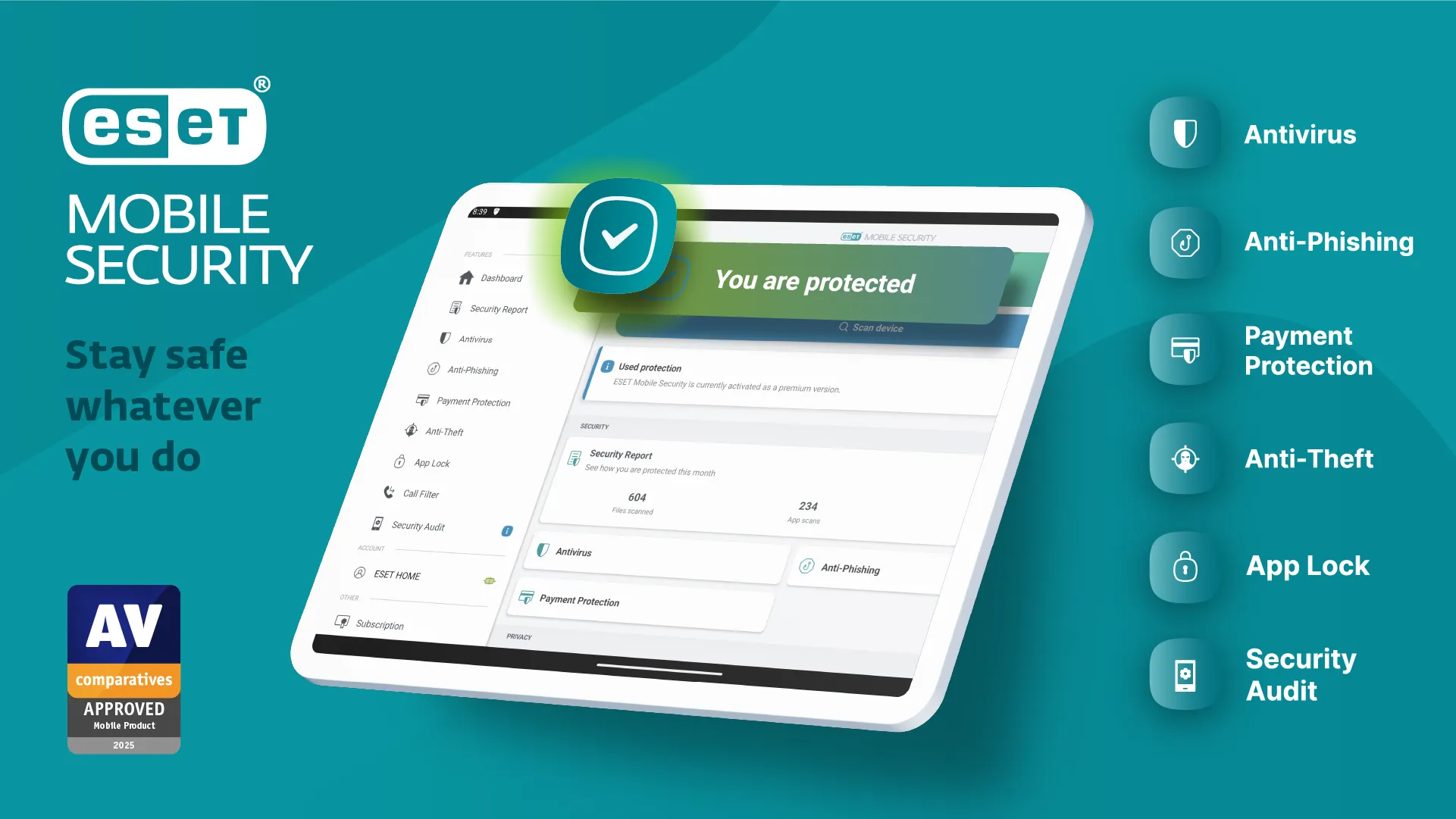
ESET Mobile Security caters to technical users who want granular control over their phone’s defense setup. ESET’s engine provides thorough file-level scanning, heuristic threat detection, and customizable automated scan schedules.
Key Features:
- Advanced Anti-Theft suite: Automatic device locking upon SIM card removal and real-time location mapping.
- Payment Protection: An isolated launching layer that shields banking and shopping apps from screen-scraping malware.
- Call Inspector & Text Filter: Blocks unwanted phone numbers and suspicious SMS messaging attempts.
- Network Inspector: Identifies every connected device on your home Wi-Fi network.
Performance & Usability: ESET features a straightforward dashboard with clear threat logs. System impact is low, making it an excellent candidate for older or lower-spec Android devices.
5. Malwarebytes for Android — Best Lightweight Malware Scanner
Malwarebytes takes a minimalist approach, avoiding bloated extra tools to focus strictly on threat removal and proactive protection. It excels at detecting hidden spyware, PUPs (potentially unwanted programs), and adware strains.
Key Features:
- Spyware & Ransomware Removal: Specialized deep-scanning algorithms designed to isolate sneaky background threats.
- Privacy Audit: Categorizes app permissions into clear access tiers (e.g., Cost-Incurring, Location Tracking).
- Lightweight Footprint: Minimal impact on system RAM and overall processor activity.
Performance & Usability: With one of the cleanest interfaces in the industry, Malwarebytes is ideal for non-technical users who want simple, one-tap scanning without complex sub-menus.
Android Security App Comparison Table
Here is how the top mobile antivirus solutions compare across critical criteria:
| Security App | Malware Protection Rate | Battery Impact | Standout Feature | Free Option |
|---|---|---|---|---|
| Bitdefender Mobile | 100% (AV-TEST) | Minimal (~0.5%) | Scam Alert & Anti-Theft Mugshot | Basic Scanner Only |
| Norton 360 | 99.9% (AV-TEST) | Low (~0.9%) | Pre-install App Advisor | Trial Only |
| Avast Mobile | 99.9% (AV-TEST) | Moderate (~0.7%) | Free Photo Vault & Wi-Fi Check | Yes (Ad-supported) |
| ESET Mobile | 99.9% (AV-Comparatives) | Low | Payment Protection & SIM Lock | Yes (Basic Scanner) |
| Malwarebytes | High Heuristic Detection | Very Low | Dedicated Spyware Audit | Yes (On-demand scans) |
How to Choose the Right Security App for Your Needs
Different user habits require different security priorities. Use these guidelines to pick the best match:
- The Sideloader / Power User: If you install APKs from third-party repositories or test beta software, select Bitdefender or ESET. Their real-time heuristic file scanning stops rogue installers before execution.
- The Remote Worker / Frequent Traveler: If you frequently connect to public Wi-Fi networks in airports, hotels, or cafes, choose Norton 360 for its auto-detecting Wi-Fi shield and privacy alerts.
- The Casual User Wanting “Install & Forget”: If you prefer zero manual management and quiet protection, Bitdefender or Norton offer set-and-forget experiences that execute seamlessly in the background.
- The Budget-Conscious User: If you want reliable security without adding a monthly bill, Avast Mobile Security gives you a complete malware scanner for free.
Essential Android Security Tips & Common Mistakes
Best Practices for Smartphone Hygiene
- Regularly Audit App Permissions: Go to Settings > Privacy > Permission Manager to revoke unnecessary access to location, camera, microphone, or contacts.
- Enable Biometrics + 2FA: Always secure your screen lock with a strong PIN or fingerprint. Use an authenticator app for online accounts rather than SMS-based codes where possible.
- Keep OS & Apps Updated: System updates patch critical zero-day vulnerabilities. Never delay system security updates.
Frequently Asked Questions
Q: Does an Android phone really need a security app?
A: If you only install popular apps from the Google Play Store and never click unverified links in texts or emails, Google Play Protect offers decent basic protection. However, if you sideload applications, use public Wi-Fi, or want defense against SMS phishing scams, a dedicated security app provides essential extra defense layers.
Q: Will an Android antivirus drain my phone’s battery?
A: Modern security apps are heavily optimized. Top-tier suites like Bitdefender or ESET consume less than 1% of battery life daily under standard operating conditions.
Q: Can security apps detect hidden spyware and stalkerware?
A: Yes. Specialized security apps like Malwarebytes, Bitdefender, and Norton monitor background behavior to spot suspicious access to location data, cameras, and microphones, flagging unauthorized tracking tools.
Q: Is a free Android security app sufficient?
A: Free security tools like Avast Free or Bitdefender Antivirus Free provide reliable core file and app scanning. However, premium upgrades are usually required for features like automated web filtering, anti-phishing SMS shields, or built-in VPN access.
Final Recommendations
Protecting your Android device does not require sacrificing performance or battery life. For the majority of users, Bitdefender Mobile Security delivers the most balanced performance, offering top-tier threat detection alongside non-intrusive SMS and web protection. If you want pre-installation Play Store app auditing alongside silent operation, Norton 360 is an outstanding alternative. Finally, if you need zero-cost protection, Avast Mobile Security provides dependable scanning tools without requiring a credit card.